King Billy Casino Login in Canada 2026: A Step-by-Step Guide to Signing In Safely, Fixing Common Login Errors, and Protecting Your Account
King Billy Casino Login in Canada 2026: A Step-by-Step Guide to Signing In Safely, Fixing Common Login Errors, and Protecting Your Account
Getting back into your account after a long day should take seconds. Not twenty minutes of squinting at the screen trying to work out whether you fat-fingered the password or the site is just being difficult.
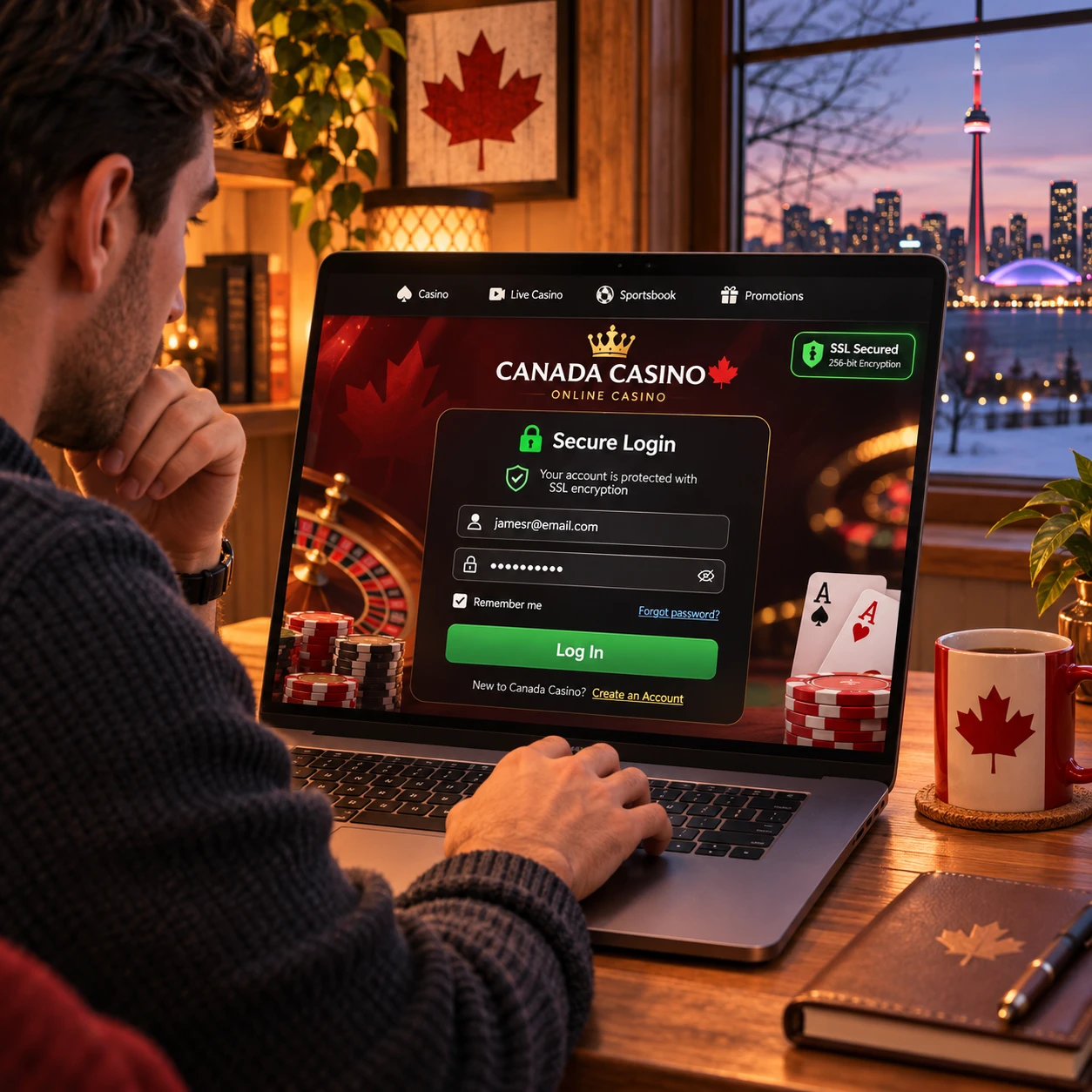
For most Canadian players the return visit starts in the same spot every single time: the sign-in box. Small panel, big job. That's the front door to your balance, your bonus offers, your whole play history.
It's also your first line of defense. A clean, deliberate sign-in — one where you know which site you're on and what you're typing — does more than any security setting you bolt on afterward. So here's what I'd want a friend in Toronto or Vancouver to have in front of them: the Canadian login flow, the fixes for errors people actually hit, and the habits that keep an account locked down in 2026.
Welcome Back — What King Billy Casino Login Means for Canadian Players in 2026
The login screen is where your account stops being an abstraction and turns back into yours. Behind it sit the funds you deposited, the bonuses tied to your profile, and the records support will ask about if anything ever goes sideways.
Getting in smoothly isn't just convenience. It's the moment your session gets authenticated — and authentication is precisely where account integrity either holds or doesn't.
Most login complaints I hear from players north of the border aren't really about forgotten passwords. Wrong entry points. Stale browser data. A VPN quietly flipping a region flag. This guide walks the Canadian flow step by step, then covers the error messages you're most likely to meet and how to clear each one without opening a support ticket.
Before You Sign In: What You Need Ready
Thirty seconds of pre-flight checking saves a lot of frustration. Have your confirmed credentials to hand — the exact username or email you registered with, not the variation you sometimes use elsewhere. Make sure the connection is stable, since a drop mid-authentication is the usual culprit behind half-finished logins.
And know which entry point you're supposed to be using. That's the part most people skip.
Choosing the Right Entry Point for Canada
Players in Canada should sign in through the Canada-facing site. Not a mirror domain someone posted in a forum thread. Not whatever redirect an affiliate link happens to land on.
Two reasons it matters: your account and its verification status live on the correct regional platform, and support can only properly trace your session from there. Regional domains and app builds differ in small ways — currency display, available payment methods, even the layout of the sign-in box. So a version that looks slightly off isn't automatically a fake. But it is a reason to go back and read the address bar.
Device and Browser Readiness
Current versions of Chrome, Safari, Firefox, and Edge all handle the login page fine. What trips people up is old state. Cookies and cached data from a previous session can leave you stuck in a loop where you look logged in but every click bounces you back to the sign-in screen. Clearing site data for the domain fixes that more often than anything else.
Aggressive ad-blockers and privacy extensions are the other common blocker. Some strip the scripts the login form depends on, and you're left with a page that just doesn't respond. Disable them for the login page specifically, or try a clean browser profile.
Desktop and mobile sign-in work the same way, though mobile adds keyboard autofill and biometric options that desktop doesn't have.
King Billy Casino Login — Step-by-Step Signing In
Here's the sequence I follow, and it plays out the same way every time.
- Open the correct regional site. Instead of navigating the homepage hunting for the button, the quickest route is straight to the sign-in screen through King Billy Casino Login, which drops you exactly where you need to be.
- Locate the sign-in area. Top right on desktop, behind the menu icon on mobile. If you're staring at a registration form instead of a login prompt, you're on the wrong page.
- Enter your username or email, then your password. Type the password rather than pasting it if you can. Pasting is how a stray leading space sneaks in and produces a 'wrong password' error that isn't one.
- Complete any verification prompt. Could be a code sent to your email or phone, or a device-confirmation step if you're on a new browser.
- Confirm you've landed in the dashboard. Your balance should display, and the sign-in button should now show your account menu. Back at the form with no message? You didn't authenticate. Head to troubleshooting instead of retrying blindly.
Signing In on Mobile
The mobile flow is the same thing, condensed. Open your browser tab or the app, tap the account icon, enter your credentials. Saved-password managers and biometric unlock (Face ID or fingerprint) turn this into a two-tap job, and they're safer than typing a password in public since nothing shows on screen.
On iOS, rotating the device mid-login sometimes shifts the keyboard and wipes a field. Lock orientation, or just fill it in portrait. On Android, if the page hangs on submit, pull to refresh once. Tapping the button repeatedly can trigger a lockout.
Troubleshooting Common Login Errors
Most errors fall into a handful of patterns, and each one has a specific fix rather than a generic 'try again.'
- Incorrect username or password: Check caps lock, invisible trailing spaces, and whether you registered with an email versus a username. Use the reset flow rather than burning through attempts.
- Account locked after repeated attempts: This is a deliberate cooldown, usually time-based. Wait it out — retrying extends it. If it drags past a day, contact support.
- 'Session expired' loops: Almost always stale cookies or a privacy extension. Clear site data for the domain and sign in again in a fresh tab.
- Page not loading at all: Try a different browser or network. If the homepage loads but the login page doesn't, an extension or DNS filter is likely interfering.
- Verification code not arriving: Check spam and promotions folders, confirm the email on file is current, and request a fresh code after a couple of minutes rather than spamming the button.
- Region or VPN detection messages: Turn off your VPN. A Canadian account accessed through a foreign server looks like a compromise attempt, and the platform blocks it defensively.
Recovering a Forgotten Password or Username
The reset link goes to the email address on your account, and it's usually valid for a limited window, so use it promptly. If it never shows up, check spam first, then confirm you're checking the right inbox — the one you actually registered with.
Username recovery is a separate path. Some platforms let you request a reminder by email; others require you to contact support and verify ownership. Don't mix the two up. A password reset won't tell you a username you've forgotten.
When to Contact Support (and What to Include)
Cleared cookies, disabled extensions, VPN off, lockout waited out — now it's time to message support. Send your registered email, your approximate last successful login, a screenshot of the exact error, and a note on the device and browser you're using.
That combination lets an agent trace the session instead of asking you three follow-up questions. Response times vary with volume, but a complete first message usually gets you a resolution in one exchange rather than four.
Protecting Your Account: Security Habits That Actually Work
Fixing errors is the reactive side. These habits are the proactive one, and they cost about as much effort as the login itself.
Use a strong, unique password — one you don't use anywhere else, ideally generated and stored in a password manager. Turn on two-factor authentication if it's offered; it makes a stolen password useless. Never share credentials with anyone, including someone claiming to be from the casino.
Avoid signing in over public Wi-Fi at a café or airport, where interception is trivial. Log out fully on shared or library devices instead of just closing the tab. And check your recent account activity now and then — unfamiliar sessions are the earliest signal that something's wrong.
One rule worth carving into stone: no legitimate operator asks for your password by email, chat, or phone. Ever. If someone does, they're not from the casino.
Spotting Fake Login Pages and Phishing Attempts
Look at the address bar before you type anything. Confirm the domain matches the genuine Canada site exactly — look-alikes swap a letter, add a hyphen, or use a different extension.
Treat unsolicited messages promising a bonus if you 'log in here' as hostile until proven otherwise. Legitimate offers appear inside your account, not in a link from an unknown sender. When in doubt, close the message and navigate to the site yourself.
Staying in Control: Responsible Play in Canada
Account security and play limits are the same idea in different clothes. Both are about you deciding what happens, rather than the other way round.
Set deposit limits before you need them, use session reminders to notice how long you've been playing, and know where to find support resources for players in Canada if the hobby starts feeling like something else. None of that is a lecture. It's the same control you exercise when you check the address bar before signing in.
Final Thoughts
A working login is a two-minute task when three things line up: the right credentials, a clean device, and the correct regional entry point. When something breaks, work through it in order — clear site data, drop the extensions, kill the VPN, wait out the lockout, then contact support with screenshots and details.
The rest is habit. Bookmark the direct sign-in page instead of hunting through the homepage each session, keep your password unique, and glance at your activity occasionally. Do that, and the front door stays easy to open and hard for anyone else to touch.